From Check-In to Discharge
Follow a patient's journey through the Vet App — each step designed for speed and clinical accuracy.
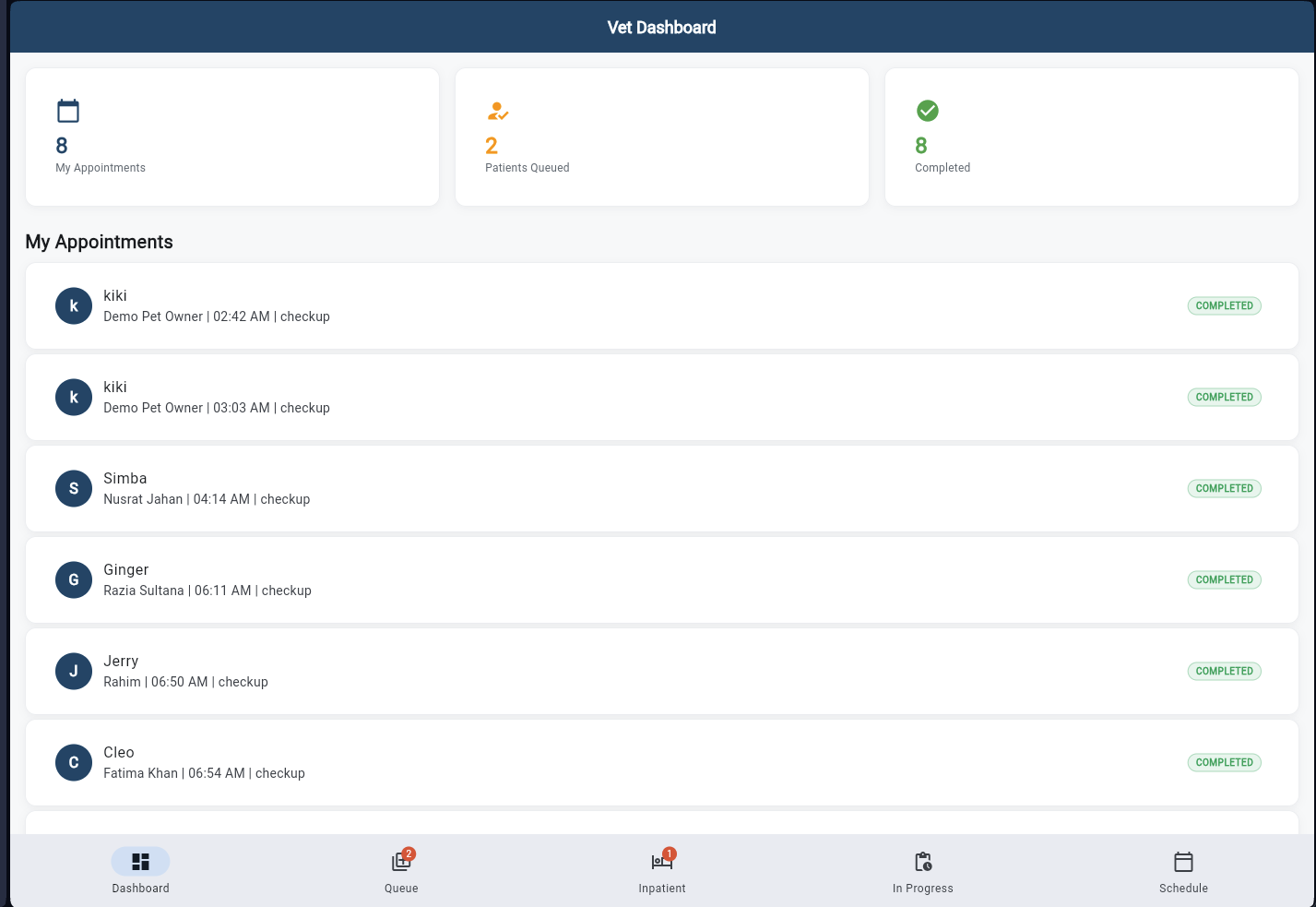
Vet Dashboard
Start your day with a complete overview. See today's appointments, patients currently queued, completed consultations, and key performance cards — all updated in real-time. The dashboard adapts to show what matters most based on your hospital's activity.
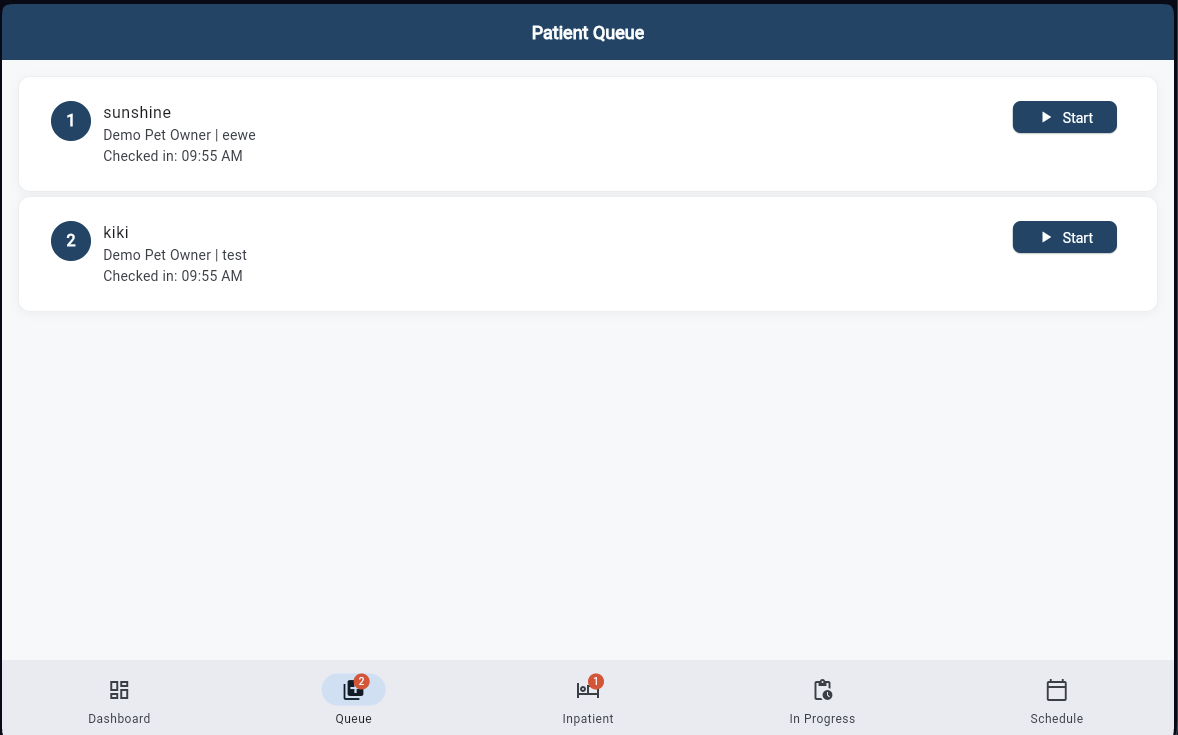
Patient Queue
See all checked-in patients waiting for consultation, sorted by priority and arrival time. Each card shows pet name, owner, species, and reason for visit. Tap "Start" to begin the consultation — the patient moves from queue to your active session.
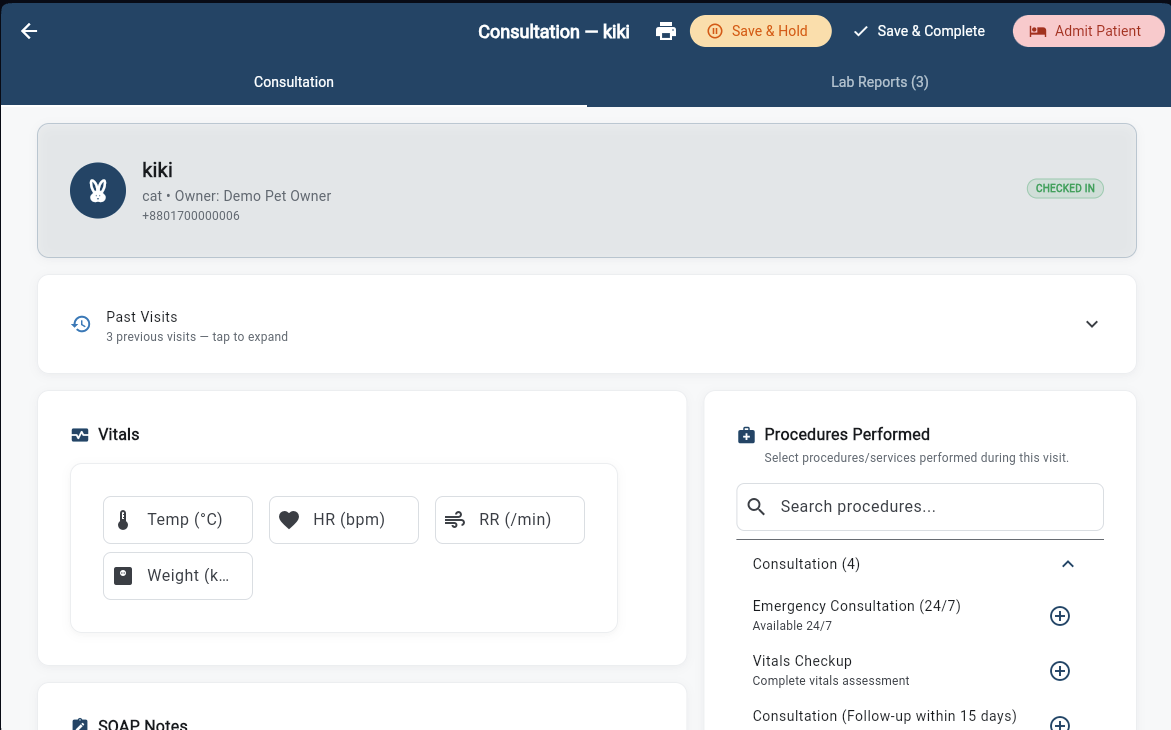
Start Consultation
Record vitals (temperature, heart rate, respiratory rate, weight), select procedures from your hospital's catalog, and write structured SOAP notes. From this screen, you can order lab tests, prescribe medications, schedule vaccinations, and plan surgeries — all without leaving the consultation.
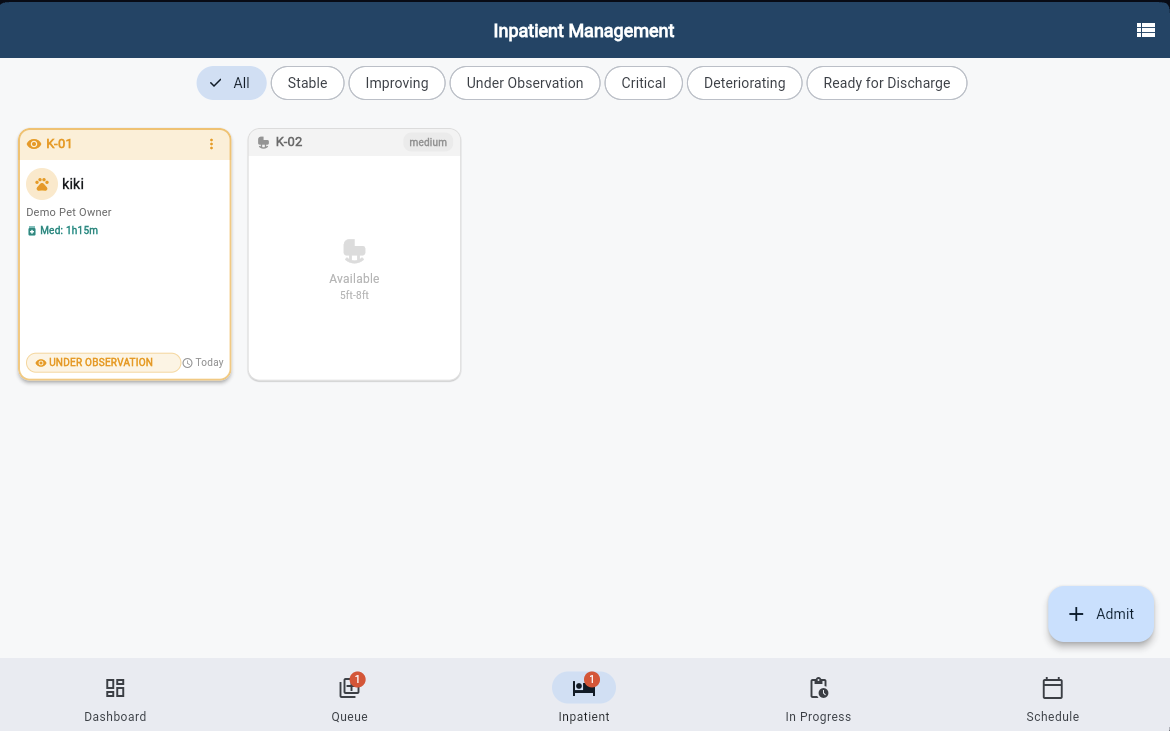
Inpatient Ward
View all admitted patients as kennel cards with color-coded status indicators — Stable, Improving, Critical, Guarded, and more. Filter by status to focus on patients that need attention. Use the + button to admit a new patient with kennel assignment and treatment plan.
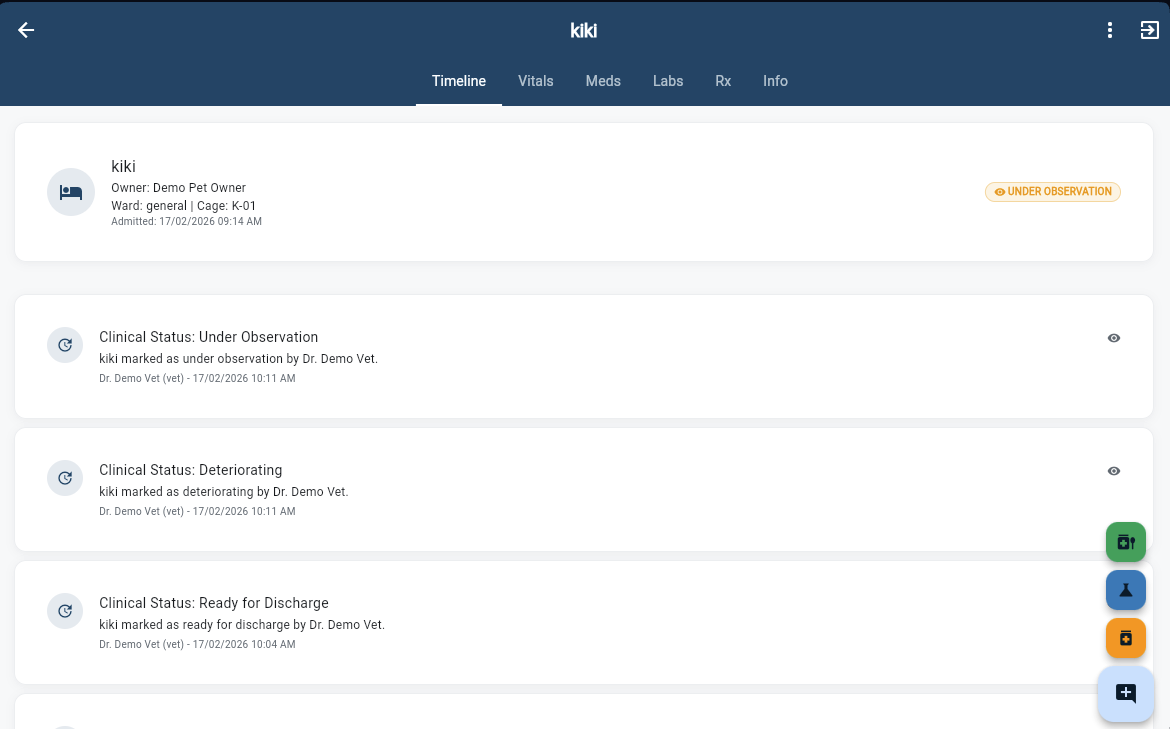
Admission Timeline
Track every clinical event in chronological order — from the moment of admission through status changes, treatments, and observations, all the way to discharge. Each entry is timestamped and attributed to the staff member who recorded it. Pet owners can also view owner-visible updates in their Customer App.
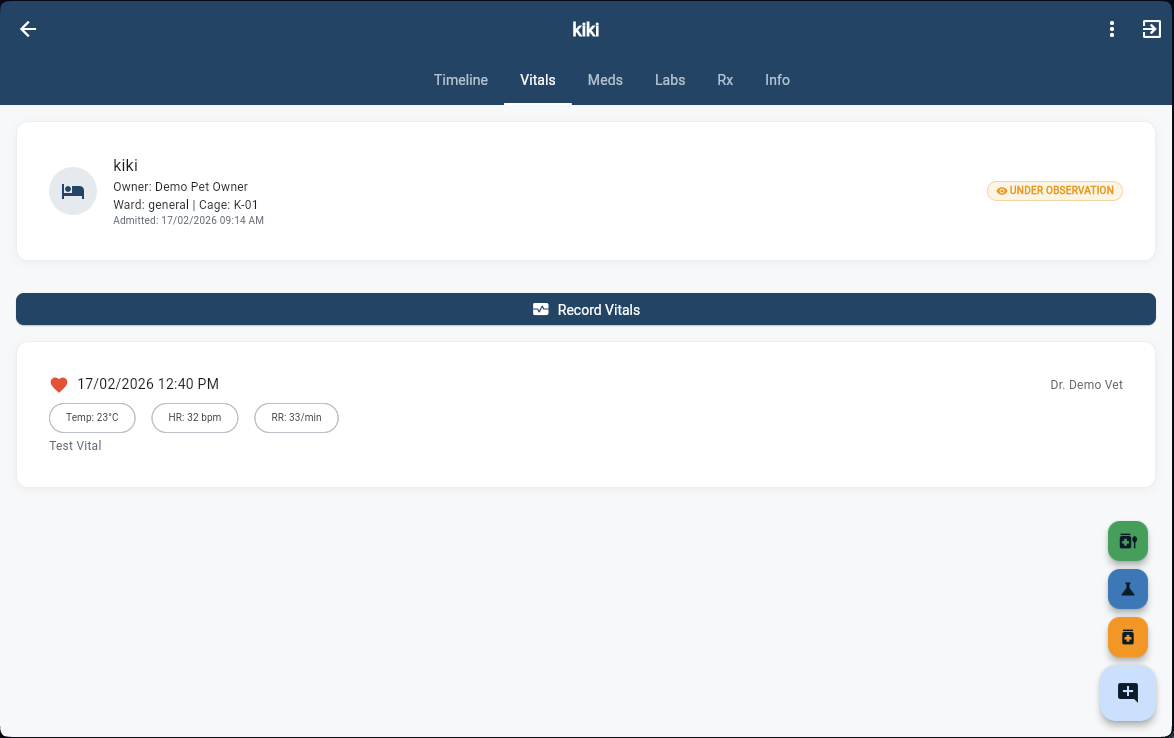
Vitals Monitoring
Record and review vitals over time for admitted patients. Each entry captures temperature, heart rate, respiratory rate, and optional notes — with timestamps for tracking trends. Quickly spot deterioration or improvement patterns across the admission period.
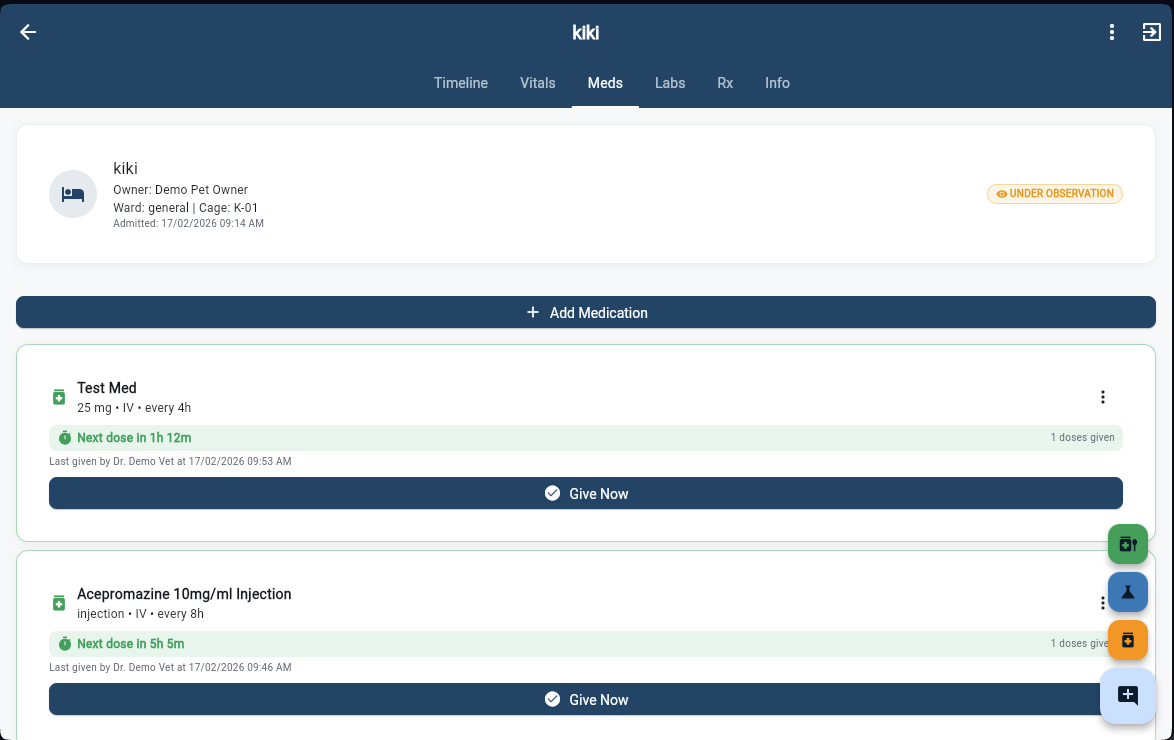
Ward Medications
Manage all medications for an admitted patient with dose countdown timers that show exactly when the next dose is due. Tap "Give Now" for one-tap dose logging — the system records who administered it, at what time, and automatically updates the countdown for the next scheduled dose.
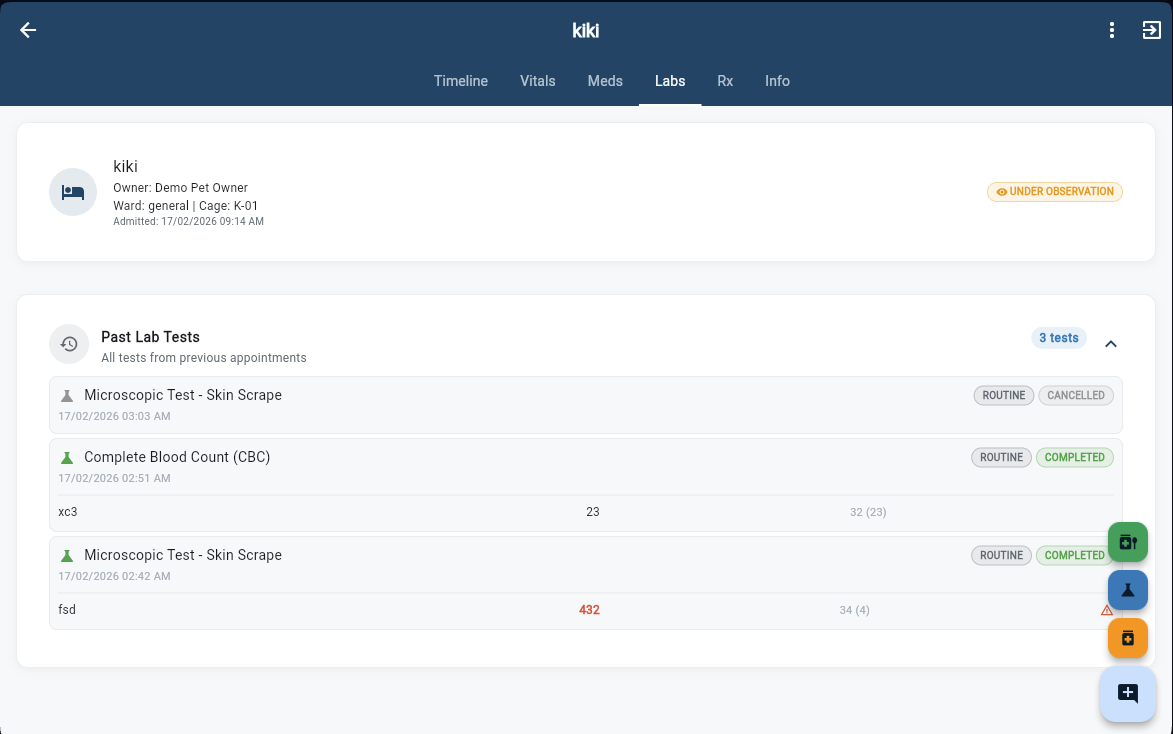
Lab Results
View all lab tests ordered for the admitted patient — with status badges (Routine, Completed, Cancelled) and reference ranges. Results flow directly from the Lab App as soon as the technician enters them. No phone calls, no paper handoffs — just real-time clinical data at your fingertips.
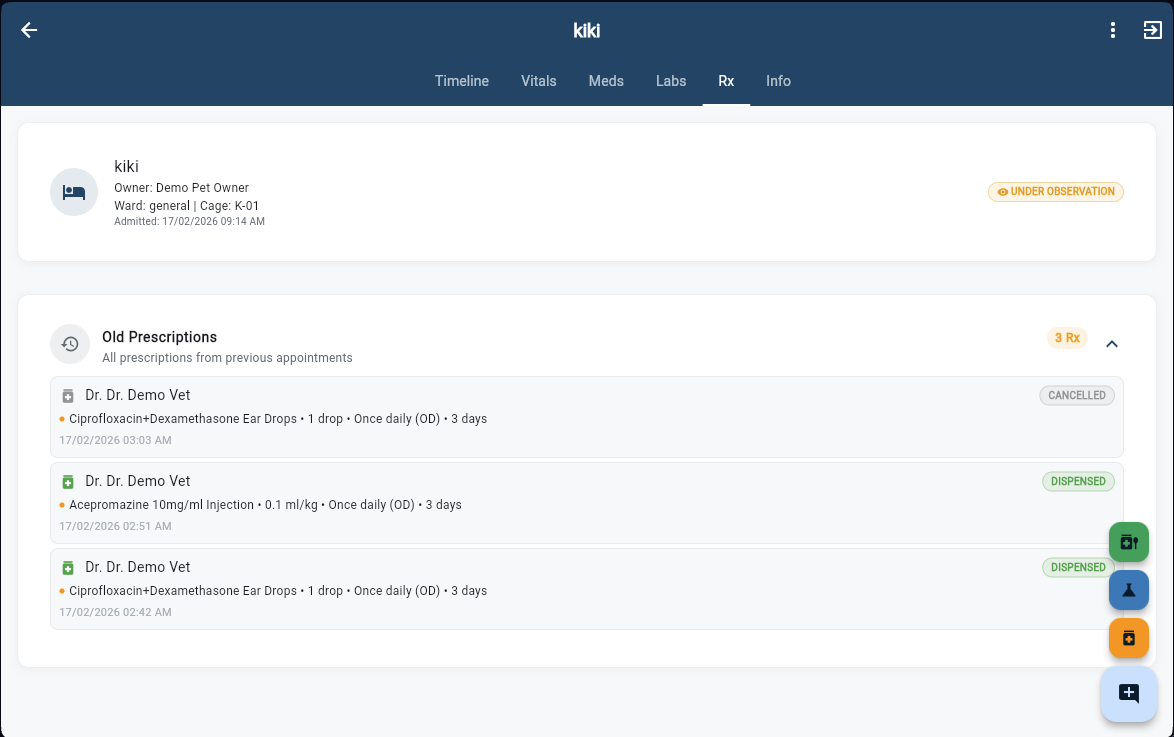
Prescriptions
Full prescription history for the admitted patient showing drug name, dose, frequency, duration, and dispensing status (Dispensed, Cancelled, Pending). Prescriptions created during consultation automatically appear in the Pharmacy App's Rx queue for fulfillment.
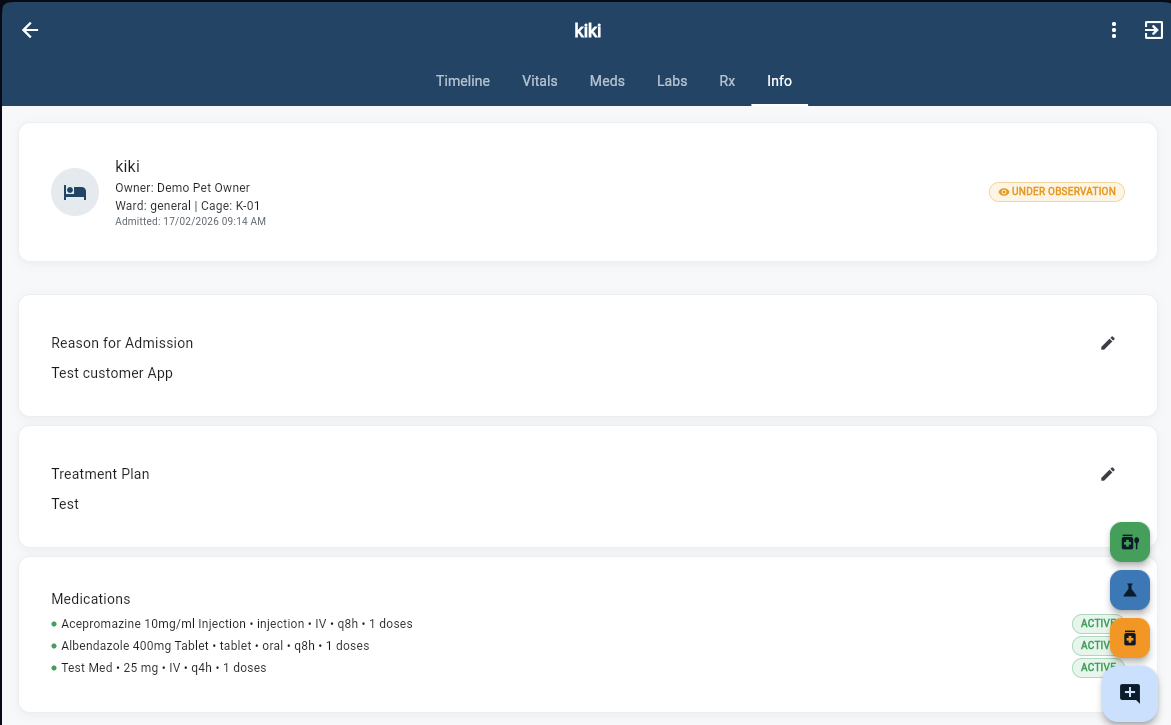
Admission Info
The complete admission summary — reason for admission, detailed treatment plan, and the full list of active medications with status indicators. This tab serves as the single source of truth for the patient's admission, accessible to any vet or staff member involved in care.